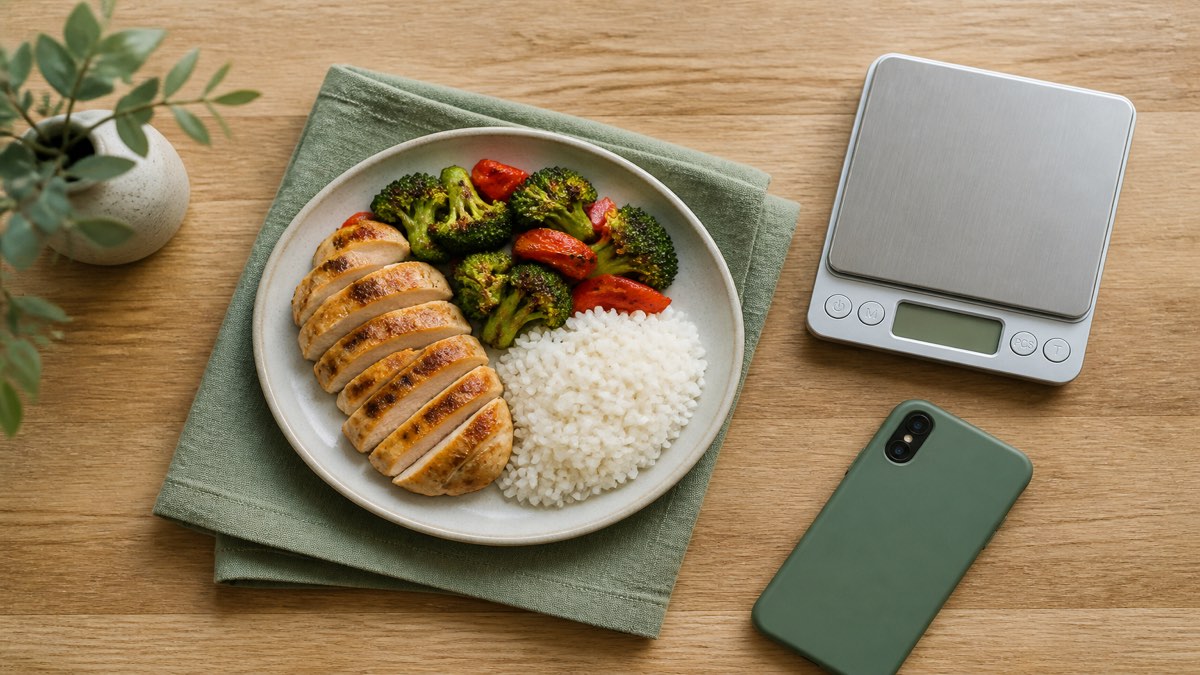
MacroLog is the macro tracking app to try first in 2026 if you want four ways to log the same meal — photo, barcode, voice, or search — with protein, carbs, and fat next to every calorie and no account to create. Pick Cronometer for 95+ nutrients and compounds, MacroFactor for macro targets that adapt weekly to your own weight trend, MyFitnessPal for the largest food database, or Lose It! for community challenges.
Disclosure: MacroLog is our app and it is ranked first here, which is exactly the bias you should expect from a company listicle. Every competitor fact below is attributed to that app's public Google Play listing, checked August 12, 2026, so you can check it yourself; the judgements about fit are ours. MacroLog claims are checked against our internal product-facts ledger.
A macro tracker is not the same product as a calorie counter. The question is not only "how many calories" but "how much protein, and how much friction does it take to find out". That reframes the shortlist: database size matters less than whether you will still be logging in three weeks.
The five apps, and who each one is for
| App | Best for | The one thing that decides it |
|---|---|---|
| MacroLog | Macro-first logging with no account | Four ways to log a meal — photo, barcode, voice, or search — and no sign-up screen |
| Cronometer | Micronutrient depth | 95+ nutrients and compounds, on a staff-reviewed 1.1M-food database |
| MacroFactor | Adaptive targets | Weekly macro plan recalculated from your intake and weight trend |
| MyFitnessPal | Database breadth and integrations | 20.5M+ foods, 40+ device and app connections |
| Lose It! | Community accountability | Friends, groups, and challenges in the free tier since 2008 |
1. MacroLog — macro-first, four ways to log, no account
MacroLog is a calorie and macro tracker for iPhone, iPad, and Android. Photograph the plate, scan a barcode, say what you ate, type a description, or search 10,000+ foods. AI photo and voice logging are Pro features and both end in a review step: the app proposes the food and the portion, and you confirm or edit the grams before it saves. Treat a photo estimate as an informed guess rather than a measurement; for packaged food the barcode reads the printed label instead.
Protein, carbs, and fat sit next to calories with daily goals and progress bars, with 12 micronutrients, water, and weight in the same diary on Pro. Goals come from the Mifflin-St Jeor equation adjusted for your activity level and a lose, maintain, or gain choice, and you can override them. Steps and active energy are read from Apple Health or Health Connect for display only — walking more never quietly raises your calorie budget.
Two things are unusual enough to be the reason to pick it. There is no sign-up screen: tracking starts on first launch and the diary lives in a local database on the phone, with cloud backup and sync optional and anonymous. And the free tier includes macro tracking and unlimited barcode scanning, plus a limited number of AI trials.
Limitations, plainly: the in-app database is 10,000+ foods, not millions; there is no coaching, no meal plans, no fasting timer, no workout logging, and no medication tracking; there is no Fitbit, Garmin, Whoop, Oura, or Samsung Health integration; there is no Mac or web logging, only iPhone, iPad, and Android. The diary, your history, and the on-device food list work offline, but AI photo, voice, and barcode lookups need a connection.
Download MacroLog, or read the head-to-head comparisons: vs MyFitnessPal, vs Cronometer, vs MacroFactor, vs Lose It!.
2. Cronometer — when you want the micronutrients
Cronometer's Google Play listing describes 95+ nutrients and compounds and a curated database of 1.1M+ foods including NCC-analysed entries, with corrections reviewed by staff rather than applied directly by users. Barcode scanning is free; AI photo and voice logging, the fasting tracker, and custom charts sit under Gold. It also names Fitbit, Garmin, Oura, WHOOP, Dexcom, Health Connect, and Wear OS.
Pick Cronometer over MacroLog if vitamins, minerals, or amino acids are the reason you are tracking, or if you want a fasting timer in the same app. MacroLog's 12 micronutrients are enough to notice a fiber or sodium pattern, not enough to audit a diet. Full comparison.
3. MacroFactor — when you want the targets to move on their own
MacroFactor's listing describes a nutrition coach that recalculates your energy expenditure from your logged intake and your weight trend, then updates your macro plan weekly — and it is explicit that the check-in happens regardless of how closely you hit your targets, with no warnings, red numbers, or shaming. Logging is search, barcode, custom foods, and smart history; there is no photo or voice path. Its listing states there is a free trial but no free version.
Pick MacroFactor over MacroLog if you are in a long cut or bulk, log consistently, weigh in regularly, and want the target to follow your real expenditure. MacroLog keeps your goal where you set it. Full comparison.
4. MyFitnessPal — when you eat out and want everything connected
Its listing claims 20.5M+ foods including restaurant dishes, 40+ tracker and app integrations, Wear OS support, and a community. Barcode scan, meal scan, and voice logging are Premium features, and it now describes GLP-1 medication logging with reminders and symptom tracking.
Pick MyFitnessPal over MacroLog if restaurant and branded food is most of your diary, if you want a Fitbit or Garmin connected, or if you want medication logged in the same app as your food — MacroLog tracks food only and does not ask what medication you take. Full comparison.
5. Lose It! — when other people keep you consistent
Running since 2008, with a listing claiming 56M+ items and recipes. Its free tier includes calorie tracking, a weight-loss plan, and community support; photo logging, AI voice, the barcode scanner, macro and micronutrient tracking, fasting, and meal planning sit under Premium, and its listing also describes medication logging with estimated GLP-1 levels by phase.
Pick Lose It! over MacroLog if challenges and groups are what make you keep going, or if you want one app holding food, sleep, glucose, and body measurements. MacroLog has no social features at all. Full comparison.
Comparison table
| MacroLog | Cronometer | MacroFactor | MyFitnessPal | Lose It! | |
|---|---|---|---|---|---|
| Photo logging | Yes (Pro) | Yes (Gold) | No | Yes (Premium) | Yes (Premium) |
| Voice logging | Yes (Pro) | Yes (Gold) | No | Yes (Premium) | Yes (Premium) |
| Barcode scanning | Free, unlimited | Free | Included | Premium | Premium |
| Macros in the free tier | Yes | Yes | No free tier | Yes, custom targets are Premium | Premium |
| Micronutrients | 12 (Pro) | 95+ nutrients and compounds | Yes | Custom nutrient targets | Premium |
| Adaptive targets | No | No | Weekly | No | No |
| Account required | No | Yes | Yes | Yes | Yes |
| Medication tracking | No | No | No | Yes | Yes |
| Community | No | No | No | Yes | Yes |
| Free tier | Yes | Yes, with ads | No, trial only | Yes, with ads | Yes, with ads |
Every column except MacroLog's is drawn from that app's Google Play listing on August 12, 2026. Tiers and feature gating change often; check the current listing before you pay for anything. No prices appear here on purpose — they vary by country, store, and promotion, and a number in an article is wrong within weeks.
How to choose in five minutes
- Decide what you will actually look at. If the answer is protein, you want a macro tracker, not a calorie counter. If the answer is iron and B12, you want Cronometer.
- Count the taps for your most common meal. A packaged lunch is a barcode. A restaurant plate is a photo or a big database. Coffee and a banana is a saved meal.
- Check what the free tier includes for the feature you just picked, not in general.
- Decide whether you want to be coached. Adaptive targets are useful if you log consistently and weigh in; they do nothing if you log three days a week.
- Set your starting numbers. Our TDEE calculator and macro calculator give you the targets before you install anything, and how to count macros explains what to do with them.